
Canvas Labs
A coding agent for knowledge work
In 2025, we began building Coworker around a thesis: the architecture behind coding agents could generalize beyond software.
Many knowledge-work tasks have a similar structure to software engineering. They require gathering context from several systems, manipulating data and files, acting through tools, checking results, and recovering from errors across long trajectories.
Coworker applied this architecture to sales, account management, and internal operations. Users gave it an objective rather than a predefined sequence of steps. It could research companies and people, query business systems, write and execute code, manipulate files and spreadsheets, return a finished artifact, or trigger the next step in a workflow.
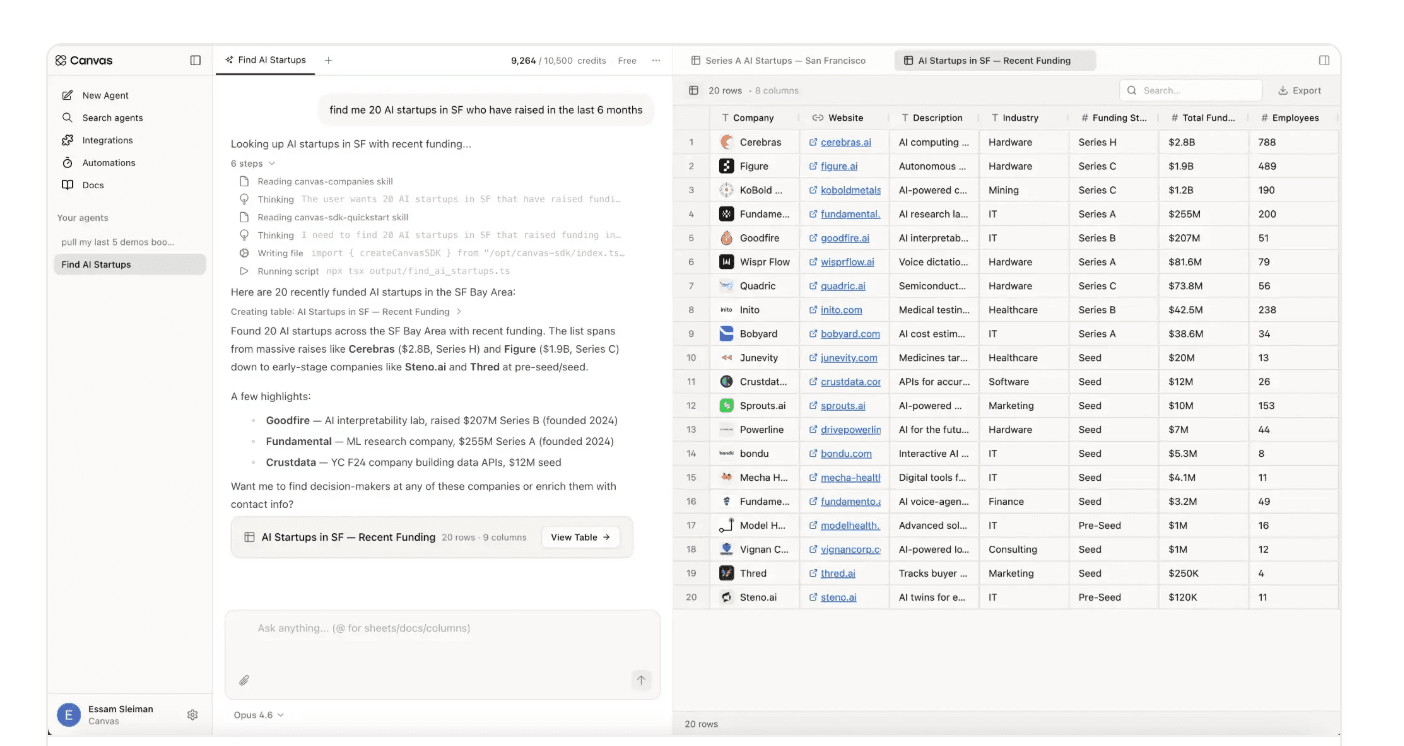 Click to expand
Coworker's architecture
Coworker consists of four main components:
- Agent runtime. Claude Agent SDK and Codex SDK.
- Harness. Context, skills, permissions, memory, and control logic.
- Cloud workspace. File system, code execution, and persistent state.
- Integrations. Canvas MCP, connectors, and proprietary sales data.
Agent runtime and harness
Coworker supports both the Claude Agent SDK and Codex SDK. Its harness determines what the model sees, which actions it can take, and how execution proceeds. For each run, the harness assembles the instructions and context presented to the model, including the current task, company and customer knowledge, reusable skills, memory, workspace state, and available tools.
The harness also controls permissions, error handling, state persistence, and when the agent should continue or stop. These choices shape the trajectory of a run and can materially change how the same underlying model performs.
Cloud workspace
Coworker runs each session inside an isolated cloud workspace with its own filesystem and execution environment. Within the workspace, it can download files, write and execute code, transform datasets, create intermediate artifacts, retry failed operations, and inspect its own work.
Files and intermediate state persist across steps, while execution continues independently of the browser. Users can leave a task running and return later to review its history and completed artifacts. The same runtime supports parallel sessions and scheduled jobs.
With Coworker, tasks can run on demand, on a schedule, or as recurring automations.
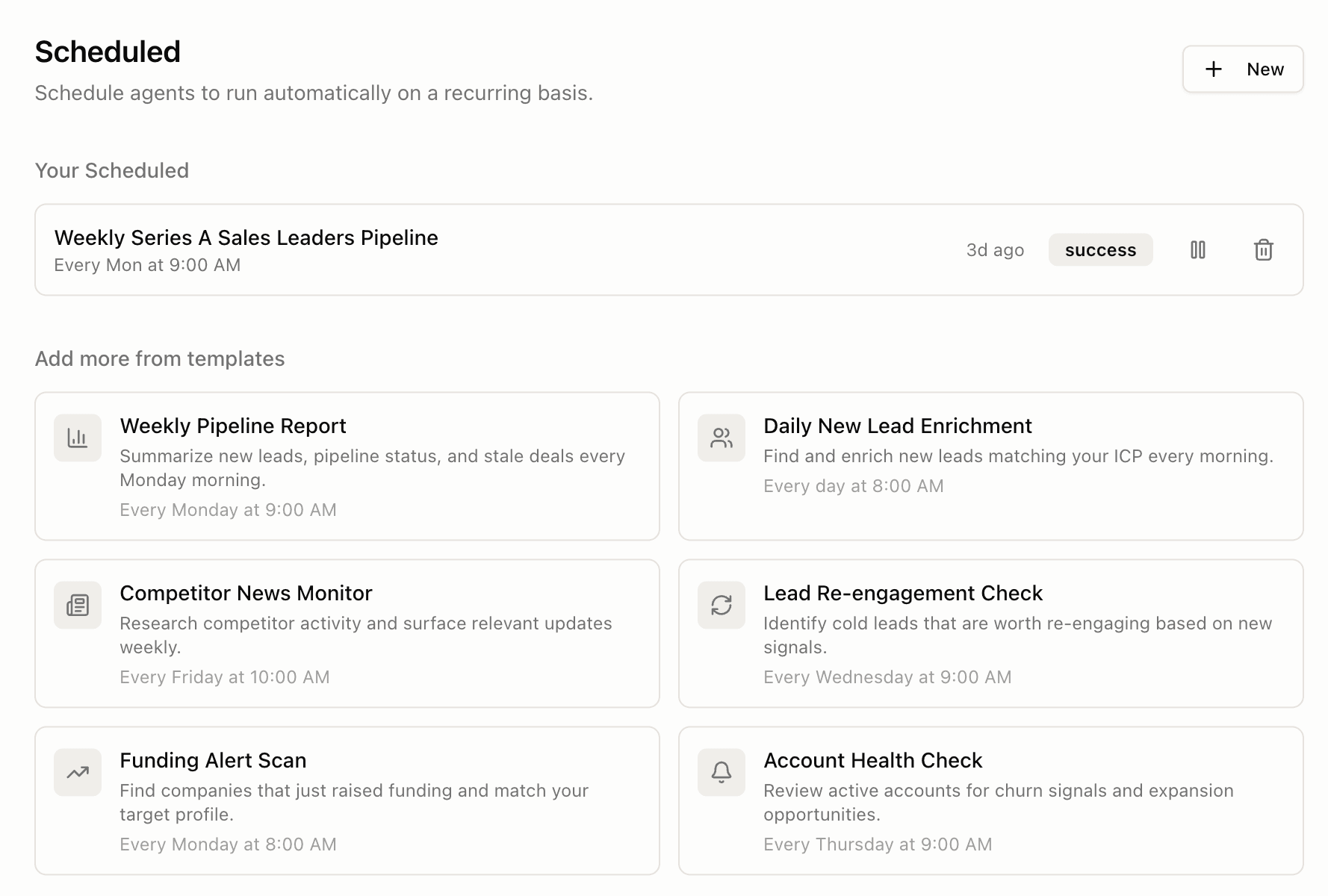 Click to expand
Canvas MCP and integrations
Canvas MCP connected Coworker to authenticated business systems. Canvas Data MCP exposed company, people, and contact-enrichment data through the same tool interface.
With this interface, Coworker can assemble context from across a customer's stack, take authenticated actions, and leave behind a completed artifact, an updated system of record, or a triggered next step.
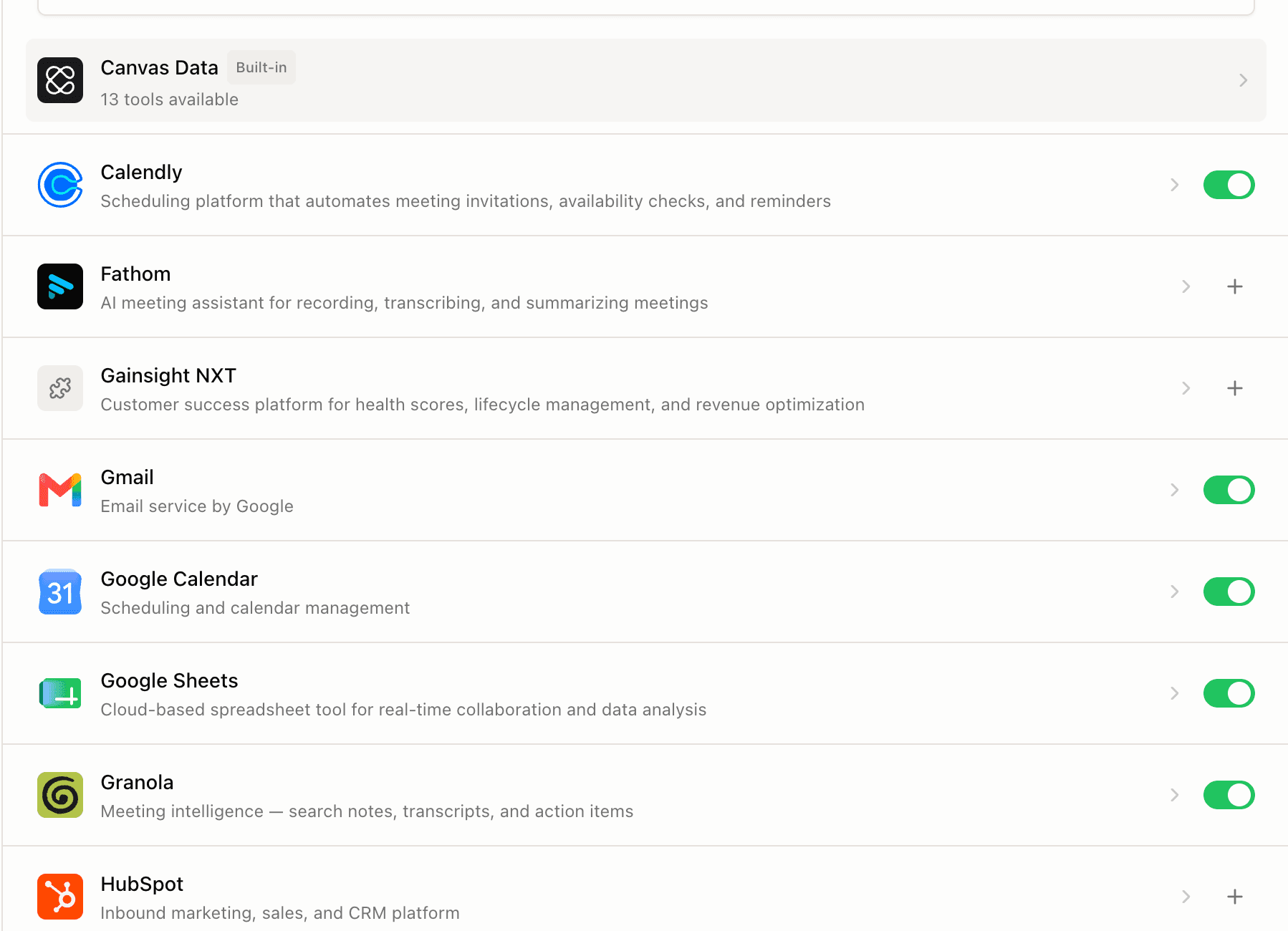 Click to expand
Learning from production
As customers used Coworker across a range of knowledge-work tasks, we began to see where the agent fell short. It might call the right tool with the wrong argument, miss a business rule, or stop after an intermediate step. To understand why, we built a tracing system that recorded the model's context, tool calls, files, errors, and final output for every run.
Reviewing those traces showed us where the harness was weak. Many failures came from missing context, an ambiguous tool description, a brittle skill, or an incorrect stopping rule. Once we found the source, we could update that part of the harness to prevent the same failure from recurring.
Meta-Agent
We turned this process into a continual harness-improvement loop. At regular intervals, an LLM judge reviewed customer traces and identified recurring failures, while a second agent proposed targeted changes to Coworker's harness. We compared the judge against pass/fail labels from customers and our team, and an engineer reviewed each proposal before deciding whether to ship it. The loop depended on the quality of its judge, so we built Meta-Reward to improve the judge's own evaluation harness.
The loop gave us a repeatable path from a failed customer run to a reviewed product change. Recurring failures became targeted updates to Coworker's context, skills, tool definitions, or control logic. We later open-sourced the system as Meta-Agent.
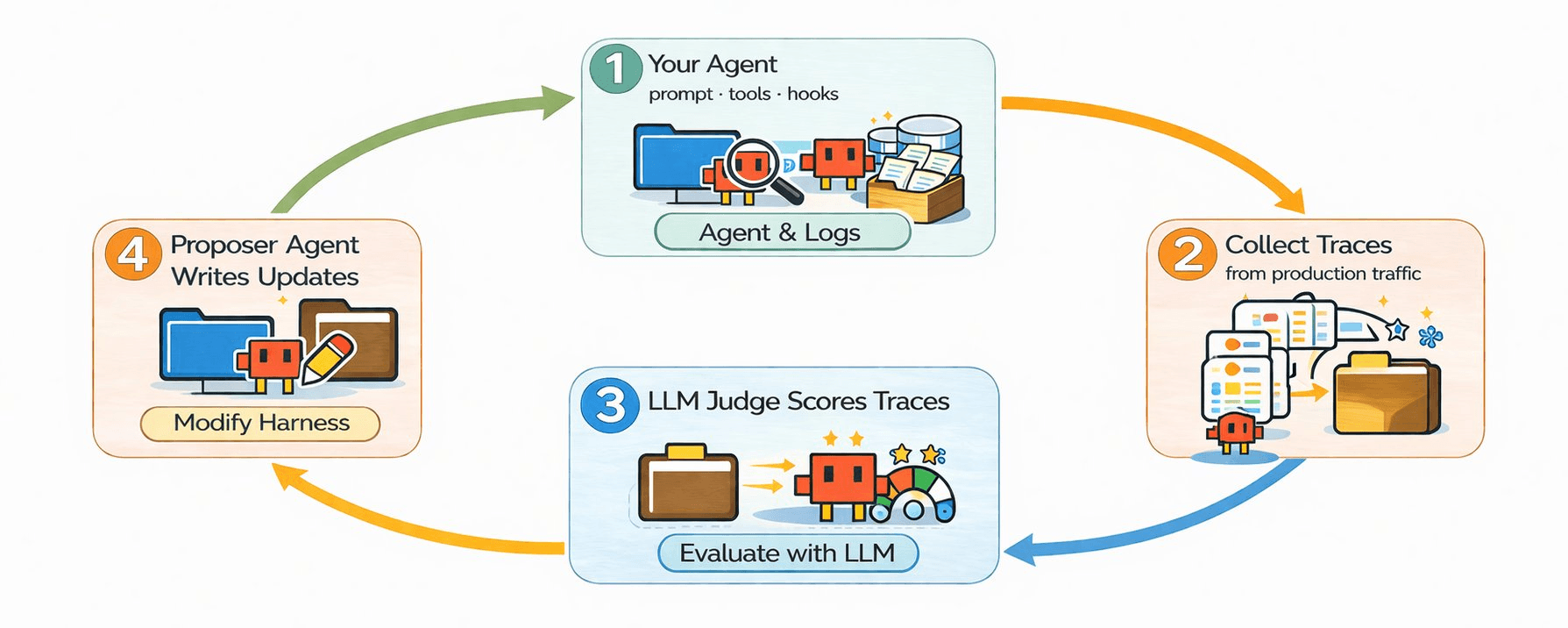 Click to expand
Research beyond Coworker
The production problems we encountered with Coworker led to two broader research questions: how to evaluate harness improvement under controlled conditions, and whether feedback from production traces could be used to post-train the model itself.
AutoHarnessBench
We built AutoHarnessBench, a self-improvement eval across 19 models and six environments. Each model receives an actor agent, a starter harness, development tasks and traces, and a fixed optimization budget. We freeze the resulting harness and evaluate it on held-out tasks.
Privileged On-Policy Self-Distillation
We developed Privileged On-Policy Self-Distillation to turn failed traces into verified post-training data for open-source models, then tested the resulting checkpoints inside Coworker. On a held-out function-calling benchmark, PSD with self-generated trace feedback enabled Qwen3.5-9B to solve 46% more tasks than the base model.